Layers & selections
Stack, mask and blend as many layers as the file needs. A selection is never one-shot — the edge you drew yesterday can still be dragged into place today.
Windows 10 / 11 · 64-bit · 8.34 MB
Layers, area paint, photo restoration, a frame-by-frame timeline and a voice track live in the same window. One 8.34 MB file, no runtime to install, works with the network off.
Free download · Runs offline · No account needed
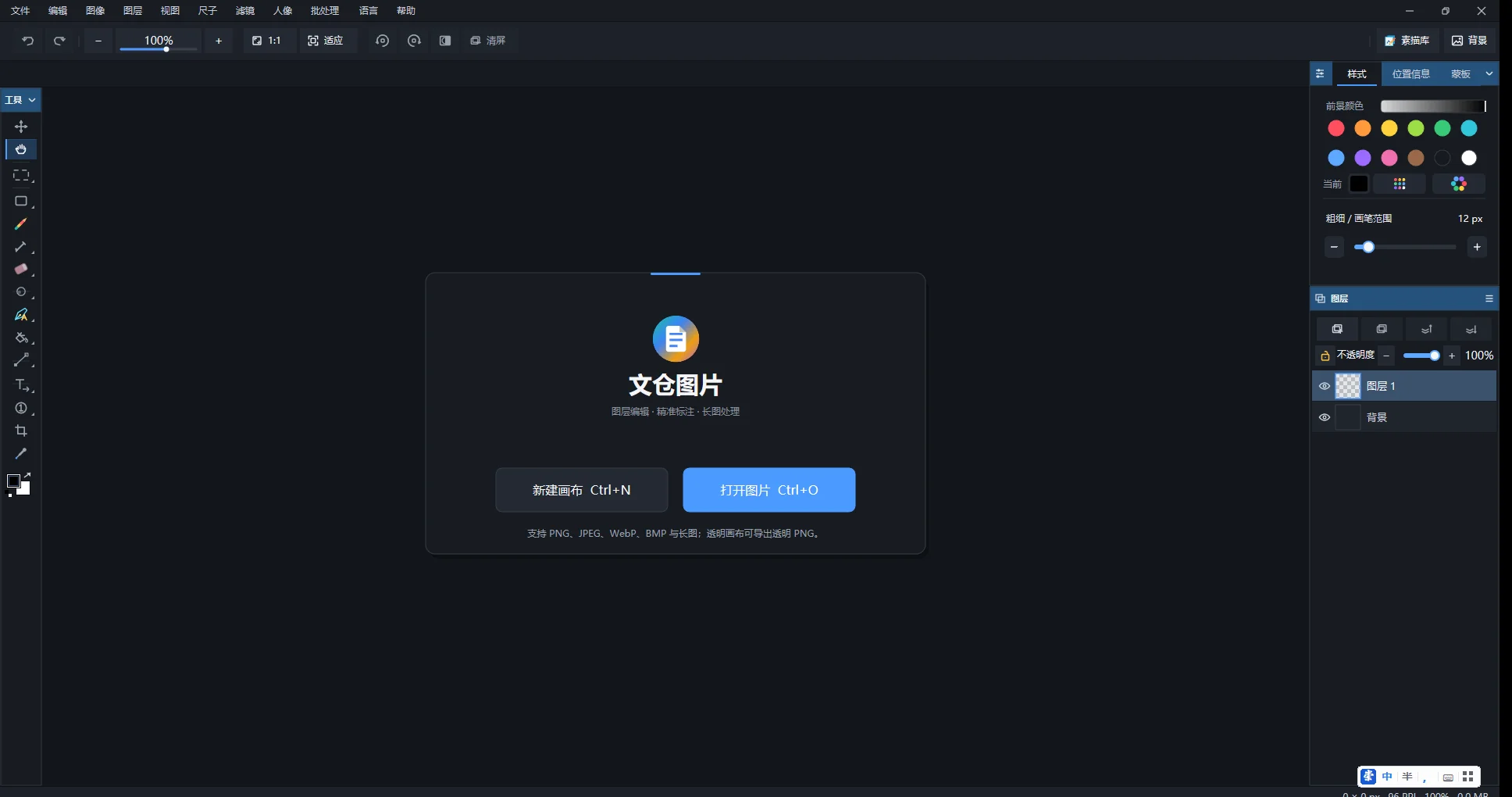
Follow a drawing from sketch and color to retouching and frame-by-frame motion.
Stack, mask and blend as many layers as the file needs. A selection is never one-shot — the edge you drew yesterday can still be dragged into place today.
Drag an outline, release, and the whole shape fills at once — no closed line art required. Area Paint clears where you repaint; Stack Paint keeps the first colour.
Scratches, grain, colour cast, faded prints. Black-and-white photos get their colour back without outlining every region by hand.
Frames, hold time, camera moves and 18 transitions on one track. Export a GIF, or a full PNG sequence.
The waveform shares its ruler with the frames. Drag a selection and picture and sound start from the same millisecond; every cut can be undone.
Simplified and Traditional Chinese, English, Japanese, Korean, German, French — the full help text and the labels inside the screenshots, not just the menus.
ORIGINAL TOOLS
Each tool addresses a specific problem in drawing and coloring — not just a renamed button.
When line art has gaps or uneven edges, draw the region you want to color. Repainting part of that region clears it, so you can refine the shape within the stroke.
See the workflow →Use the same region-drawing gesture while preserving color where strokes overlap. It suits flats, textures and layered color work.
Compare both brushes →A workflow built around line art, fill tools and layers. The guide covers preparing a sketch, handling edges and exporting the result.
Read the coloring guide →Read 112 step-by-step topics across 29 chapters, from line art coloring and Area Paint to photo repair and frame-by-frame animation.
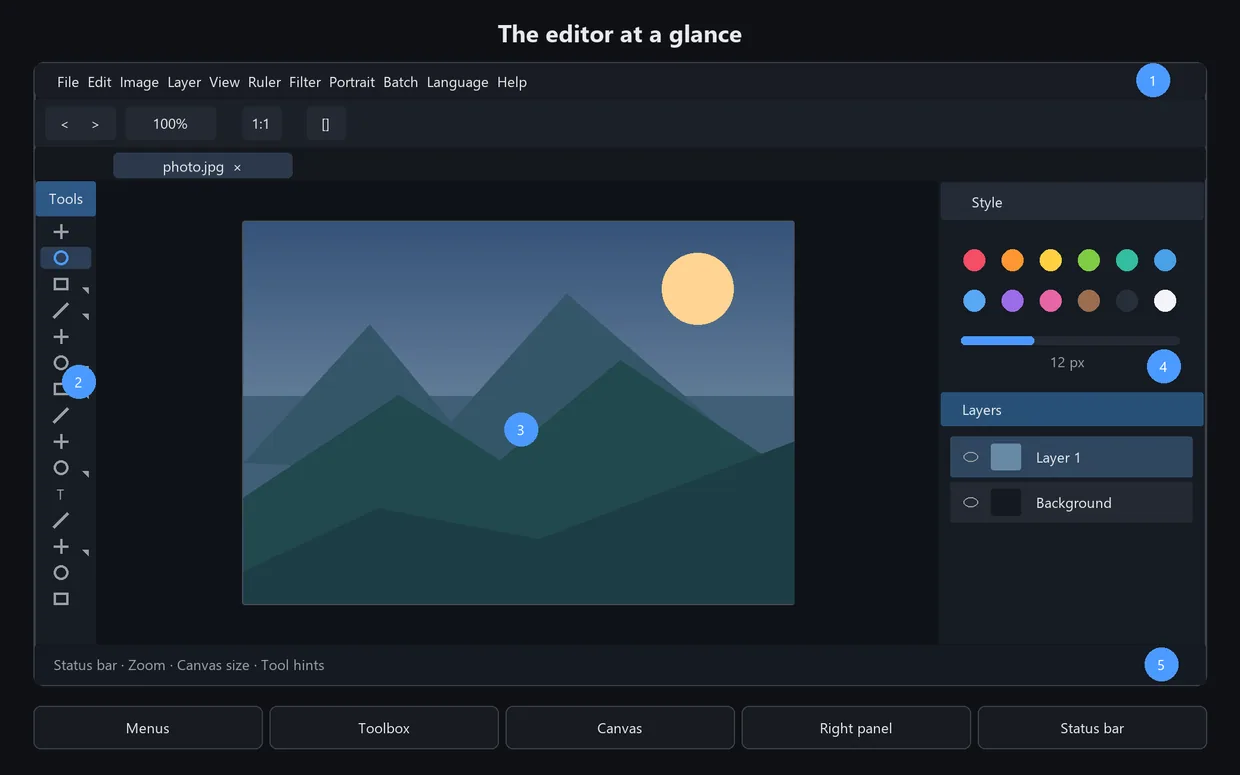
EXPLORE THE WORKFLOW
Each workflow links to real instructions in the online manual.
Learn line-art coloring and bucket workflows without tracing every closed shape.
↗Fill a drawn region and choose how overlapping strokes behave.
↗Work through scratches, fading and local defects.
↗Arrange frames on a timeline and align them with audio.
↗Resize, convert and watermark groups of files.
↗Keep projects editable as the details change.
Explore artwork and line art made with WenCang Image. Downloadable assets are marked separately below.
All assets are original work by the WenCang team. Commercial use is fine; reselling the files themselves is not.
Browse the libraryOne file. No installer runtime, no background service. Unzip and run.
Download for WindowsNeeds 64-bit Windows 10 or 11 and a Direct2D-capable GPU. It opens on 2 GB of RAM, but 4 GB is the comfortable floor for large files. This build does not export MP4 — GIF and PNG sequence do work.