Colour picker
1 topics from the in-app manual.
Colour picker: choosing an exact colour
Opening it
Click any colour swatch in the toolbar or property panel.
Five tabs
Recent: colours you used lately, kept across restarts
Designer: a conventional hue wheel
Anime: cel-shading palette, grouped by skin / hair / eyes / clothing / shadow
Chinese painting: traditional mineral pigments
Crayon: the official Crayola 50, each swatch drawn with actual crayon strokes
Fine tuning
Use the horizontal hue bar, drag saturation and value in the large square below,
or type RGB and HEX directly.
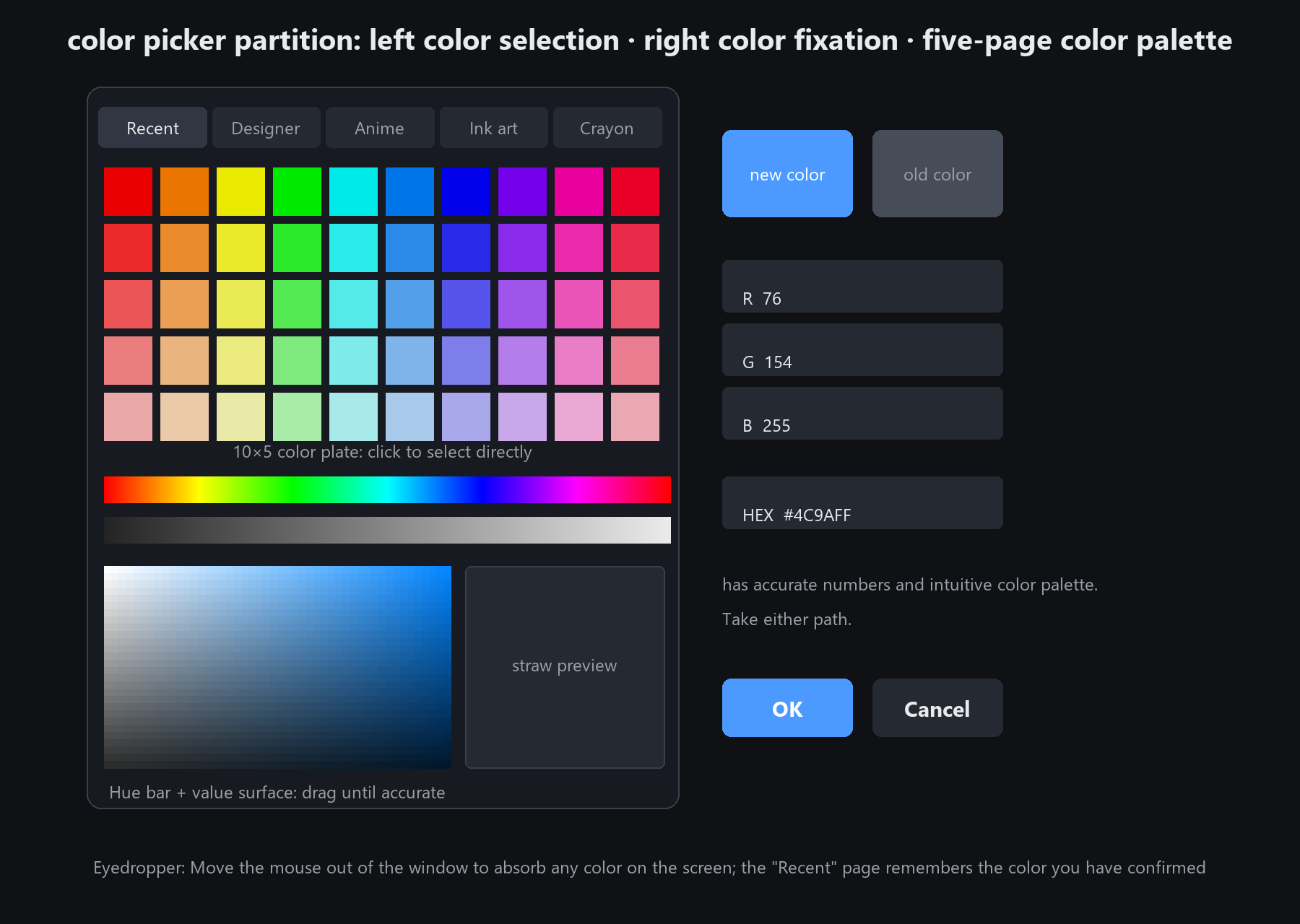
To grab any colour on screen: pick the eyedropper, move the cursor outside the picker window,
and click to take that colour. It works across other programs too