Files and formats
3 topics from the in-app manual.
The .wci project: why to keep your master in it
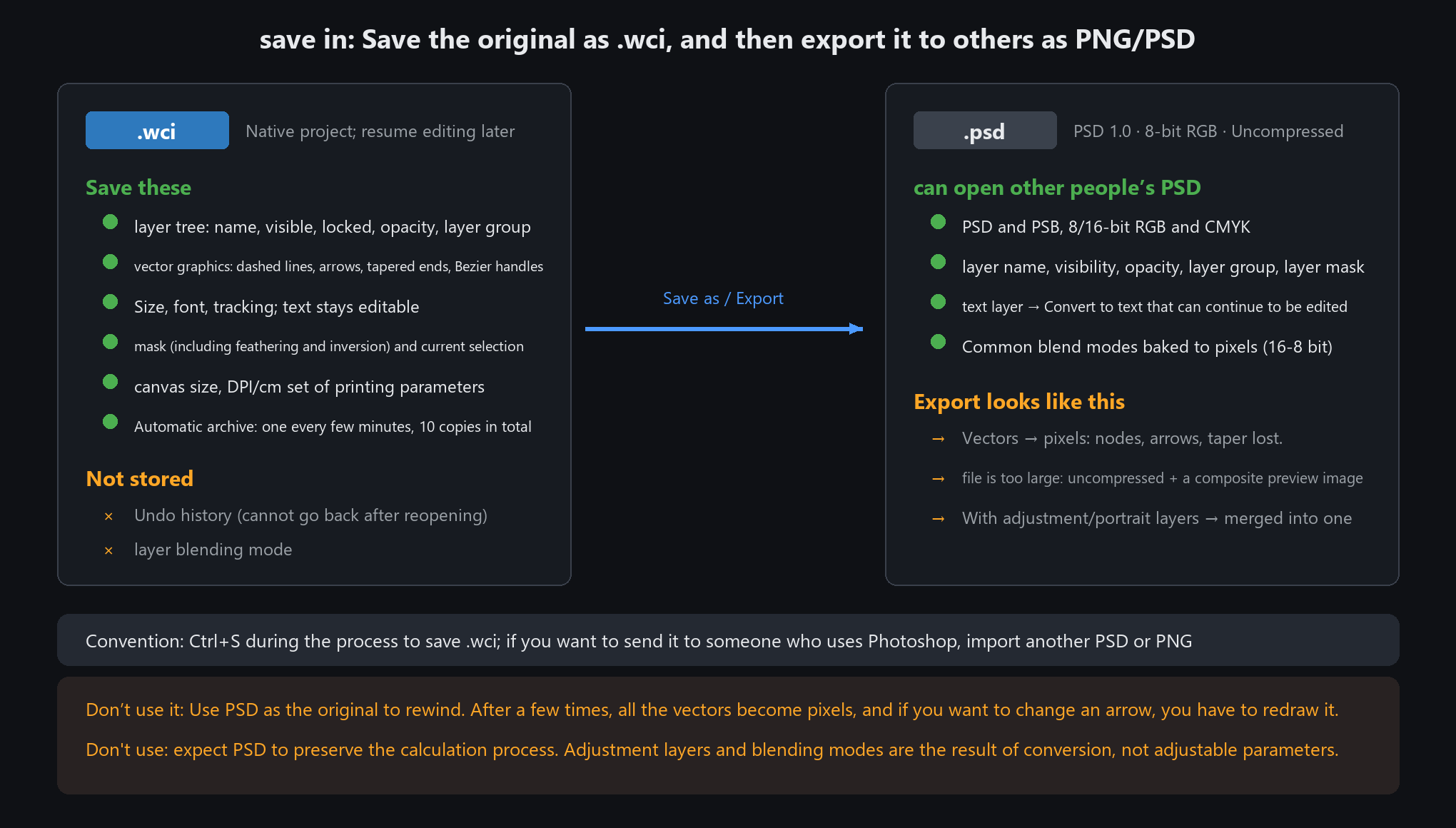
What it remembers
The layer tree: names, visibility, locking, opacity, groups — everything
Vector shapes: nodes, bezier handles, dash styles, end arrows, tapered tails — still editable after reopening
Text font, size and letter spacing; retype any time
Masks (with feather and invert), the current selection, canvas size and DPI / centimetres
Autosave: one snapshot every 3 minutes by default, 10 kept — a crash costs you minutes, not hours
What it does not remember
Undo history: Ctrl+Z will not step back after a reopen
Layer blend modes
Everything except undo history and blend modes comes back exactly as you left it.
Autosave snapshots sit right below "recent files" in the File menu — click one to resume
Opening PSD: what you get, what degrades
Supported
Both PSD and PSB; 8-bit and 16-bit RGB and CMYK
Common compression schemes (RLE, Zip and more) all read
Layer names, visibility, opacity, groups and layer masks come through intact
Text layers convert to native text you can keep editing
Degrades
16-bit files are handled as 8-bit
Blend modes cannot be kept; they are baked into the pixels
Smart objects keep only their current appearance; adjustment layers become plain layers
Shape layers lose their vector paths — pixels only
Greyscale, Lab and indexed files report "currently supported: 8/16-bit RGB or CMYK" — convert to RGB in Photoshop first.
More than 32767 layers will not open; single layers above 30000 px are skipped
Exporting PSD: when and what it becomes
What you get
PSD 1.0, 8-bit RGB, uncompressed, plus a composite preview — files run large
Every vector shape (annotations, arrows, text) becomes pixels — nodes and tapered tails are gone
If the project has adjustment or portrait layers, a "PSD export notice" appears and everything flattens into one layer
When to export
The recipient uses Photoshop or another app and needs layers
You are done editing and just delivering
When not to
You will keep editing → save .wci
It is just for posting → PNG / JPG is far smaller; a PSD adds nothing
Before handing over a PSD, remember: vectors are pixels now, and the recipient cannot edit your arrows either.
If they need to tweak things, export those parts as separate PNGs for them to stack